An approval system you can open in Power Apps today.
DocRouter is a working document routing and approvals app. Download the file, open it in Studio, and click through a real request. It runs entirely on collections, so there is nothing to connect and nothing to provision.
Free · .msapp · 8 screens · 20 components
No connectors · no premium license · works in GCC High
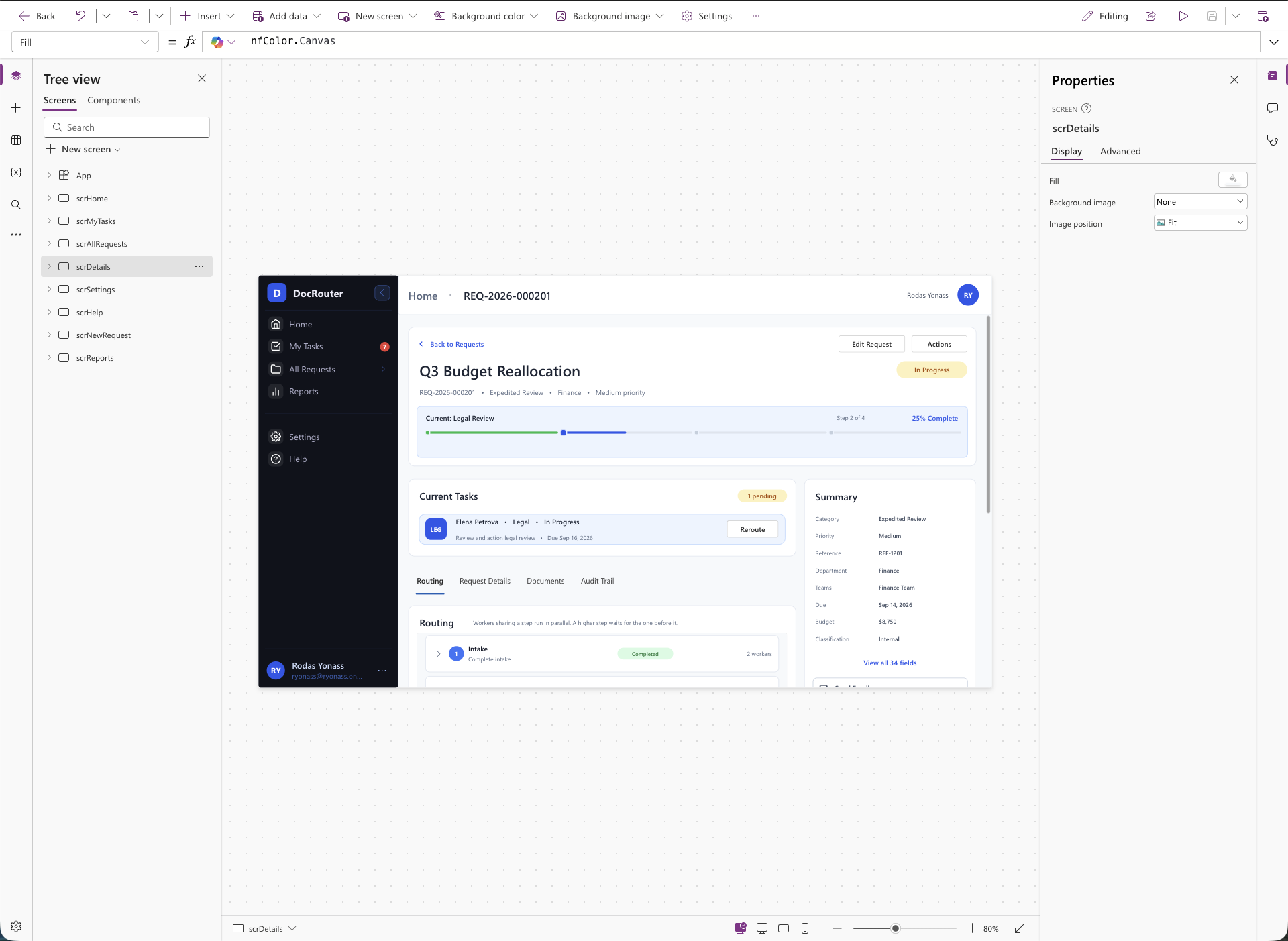
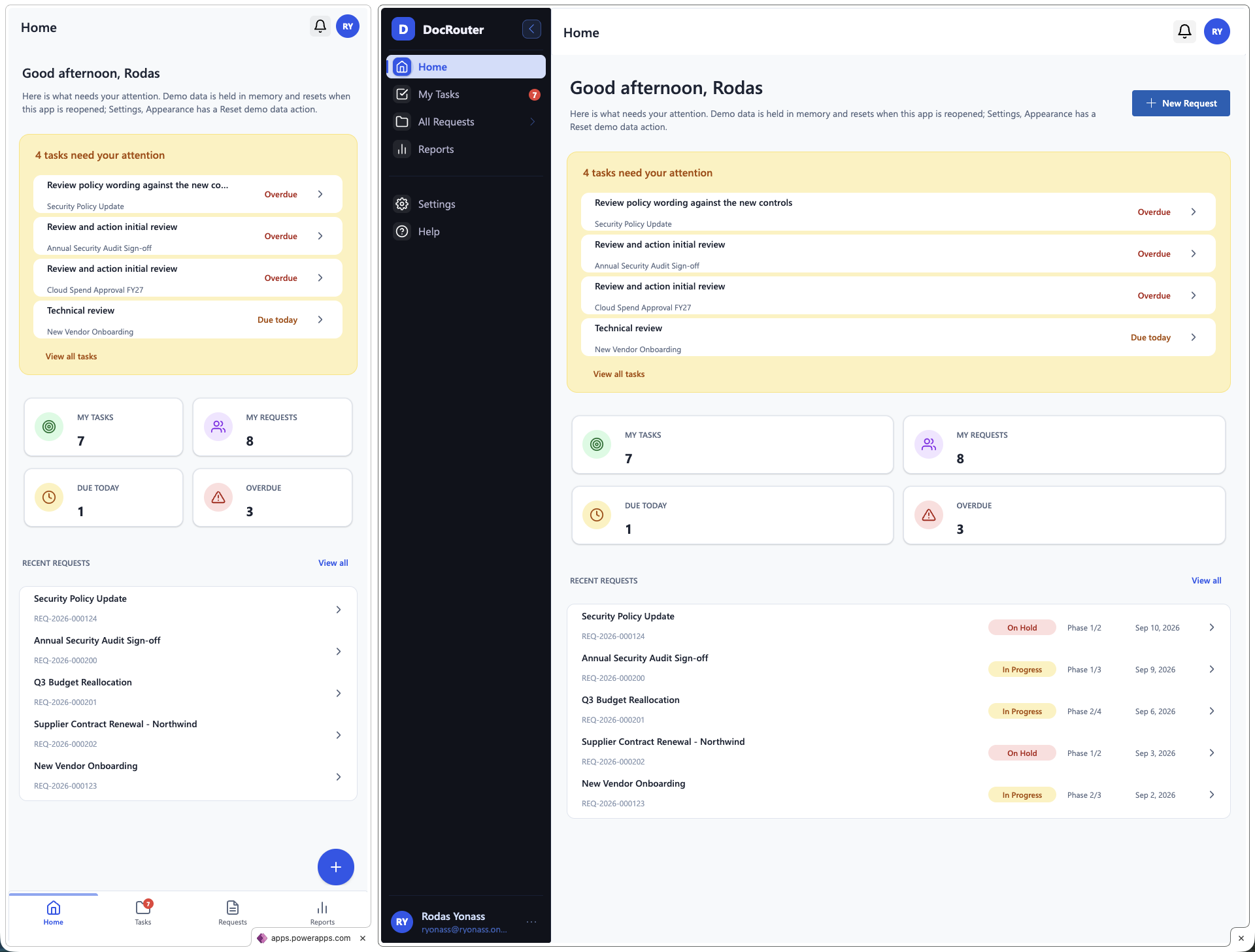
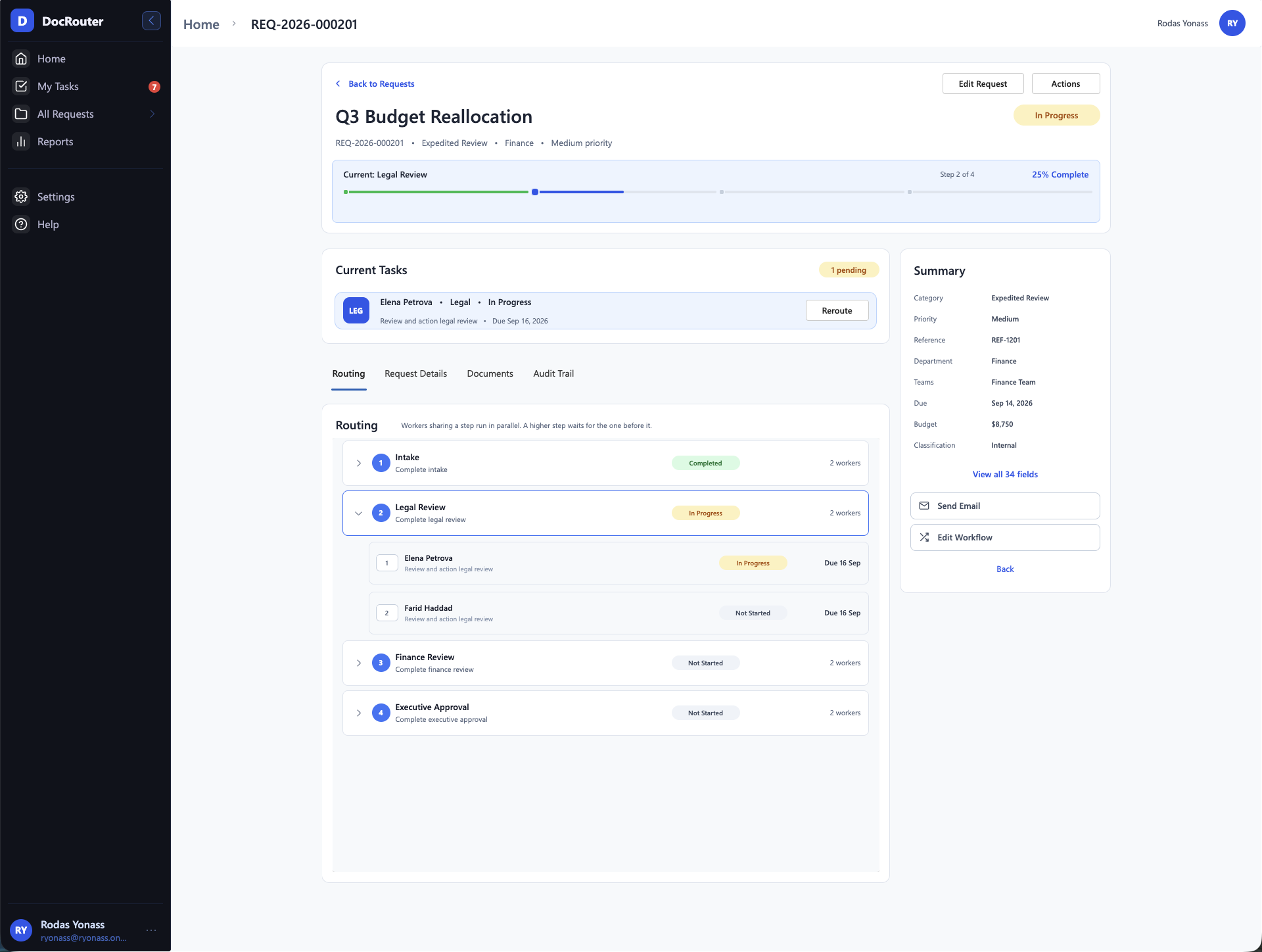
Open it, click it, keep it.
One file. Import it into any Power Apps environment and it runs immediately with seeded demo data. Nothing to sign in to, no lists to create, no flows to import.
What the free app does and does not do
- +Finish a task and watch the request advance, with real writes to collections
- +Create a request through the full five step wizard
- +Reroute and Edit workflow open completely, so you can see how they work
- ·Those two stop at the commit step, which is part of the full solution
- ·Demo data resets when the app closes, and Settings has a manual reset
- ·No SharePoint, no flows, no document storage
Importing it
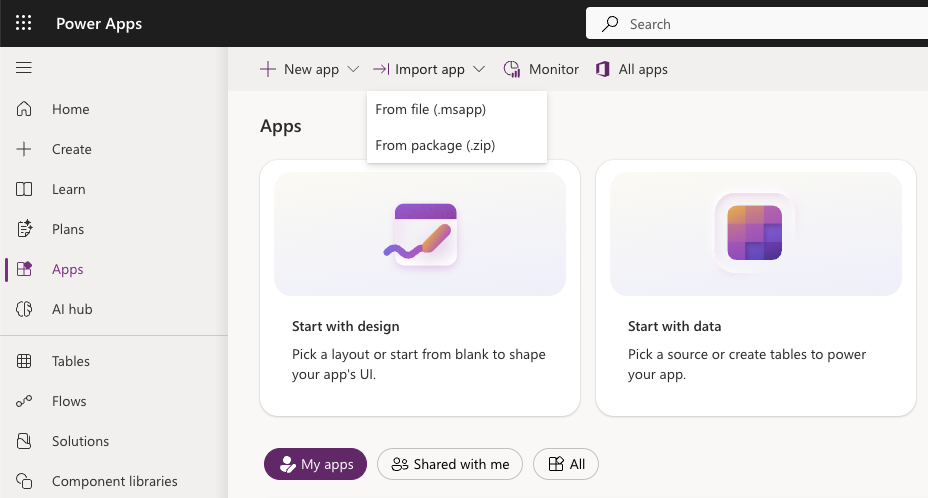
Three clicks. It is an app file, not a solution, so it goes in through Import app.
- 1Open make.powerapps.com and go to Apps.
- 2Open the Import app menu in the toolbar.
- 3Choose From file (.msapp) — not From package, which is for solutions.
The free app is the whole interface. The full solution is the engine behind it.
Same screens, same components. The difference is what happens when you commit an action, and where the data lives.
Free
- All 8 screens, mobile responsive
- 20 library components bundled in
- Sequential and parallel phase routing
- Finish a task, advance a request
- Five step request wizard
- Audit trail and activity timeline
- Collection data, resets each session
- Yours to take apart and reuse
Full solution
- Everything in the free app
- SharePoint schema, provisioned by script
- Seven Power Automate flows
- Parallel routing and the workflow engine
- Reroute, suspend, and edit workflow unlocked
- Document co-authoring in a SharePoint library
- Config lists for departments, categories, SLAs
- Hosted setup and schema docs
Eight screens doing real work.
One shell, two shapes
A sidebar on desktop that collapses to bottom navigation on a phone. Same screens, no second app to maintain.
Phase stepper
Current phase, step count, and percent complete all derived from one config table, so a request with two phases and one with six both render correctly.
Request grid
Search, status chips, progress bars, and a switch between table and card views. Built on the same data grid component from the library.
Five step wizard
Category, details, documents, workflow, review. Nothing is written until the final step, and each step validates on its own.
Audit trail
An activity timeline per request with filters, so you can see what a real approval history looks like rendered in Canvas.
The full solution, coming soon.
The free app is the interface. The paid build is what turns it into a system your organization can actually run on: real storage, real routing, real documents.
- Parallel and sequential routing from a single order field
- Add, reorder, reroute, and suspend phases on a live request
- Files in a SharePoint library, one folder per request, open in Word on the web
- PnP scripts that create every list, column, and index, then seed your config
- Standard connectors only, so your users need no premium license
- Full source, nothing locked, rebrand it as your own
- A Power BI template that unions every deployment into one view
I’ll email once when it ships, with the price. No other email.
Tell me when the full solution ships
One email when something new ships. Unsubscribe anytime.
No payment is being taken yet. Download the free app in the meantime, it is the same interface.
Before you download.
What do I need to run the free app?
A Power Apps environment you can import an app into. That is all. It uses no connectors and no premium controls, so there is no license to add and nothing to provision first.
What is the difference between the demo and the download?
The demo is a browser version of the same interface, so you can click through it on a phone or without a Power Apps environment open. The download is the real Canvas app you import and keep.
Does my data save between sessions?
No, and that is deliberate. The app seeds its demo data at startup, so every session starts clean and you can run the approval flow again from the top. Settings has a manual reset if you want to start over without closing the app. Local persistence is unsupported on the web player and blocked in GCC High, so the free build does not use it.
Can I take screens or components out and use them?
Yes. That is the point. The controls are the same ones in the component library, so anything you like in the app you can take on its own. Screen templates are being published as they are ready — the Home screen is up now under Templates.
Why do Reroute and Edit workflow open but not save?
So you can see exactly what they do before deciding whether the full solution is worth it. The dialogs are fully interactive. Only the commit is held back, and each one tells you what it would have done.
When does the full solution ship?
It is in active development. Join the list above and you will hear once when it is ready. No other email.
Will the free app keep working after the paid one launches?
Yes. It stays free, stays downloadable, and keeps getting the component updates. It is not a trial that expires.
Can I rebrand it?
Yes. Colors, typography, app name, and navigation all come from named formulas at the top of the app. Change them in one place and every screen follows.
Community
Use the toolbar to format · or type markdown directly
Click through it, then keep it.
Open the demo in the browser, and download the app when you want it in your own environment.